Text too long: restricting new data without breaking the old
Table of Contents
This post answers:
- How do I add a limit without breaking existing data?
- How do I migrate old data safely?
- What should I test, and when?
Adding a rule for new data is easy. The hard part is the data that is already there.
Imagine an app where users type labels, and one day we decide: at most 250 characters. We add the check, ship it, done? Not quite. Every label saved before today is still stored, and some are longer.
That’s what happened to us: one 504-character label broke every page built from one form. Here’s the two-step fix we used: guard the write, then migrate the old data.
One label broke every page
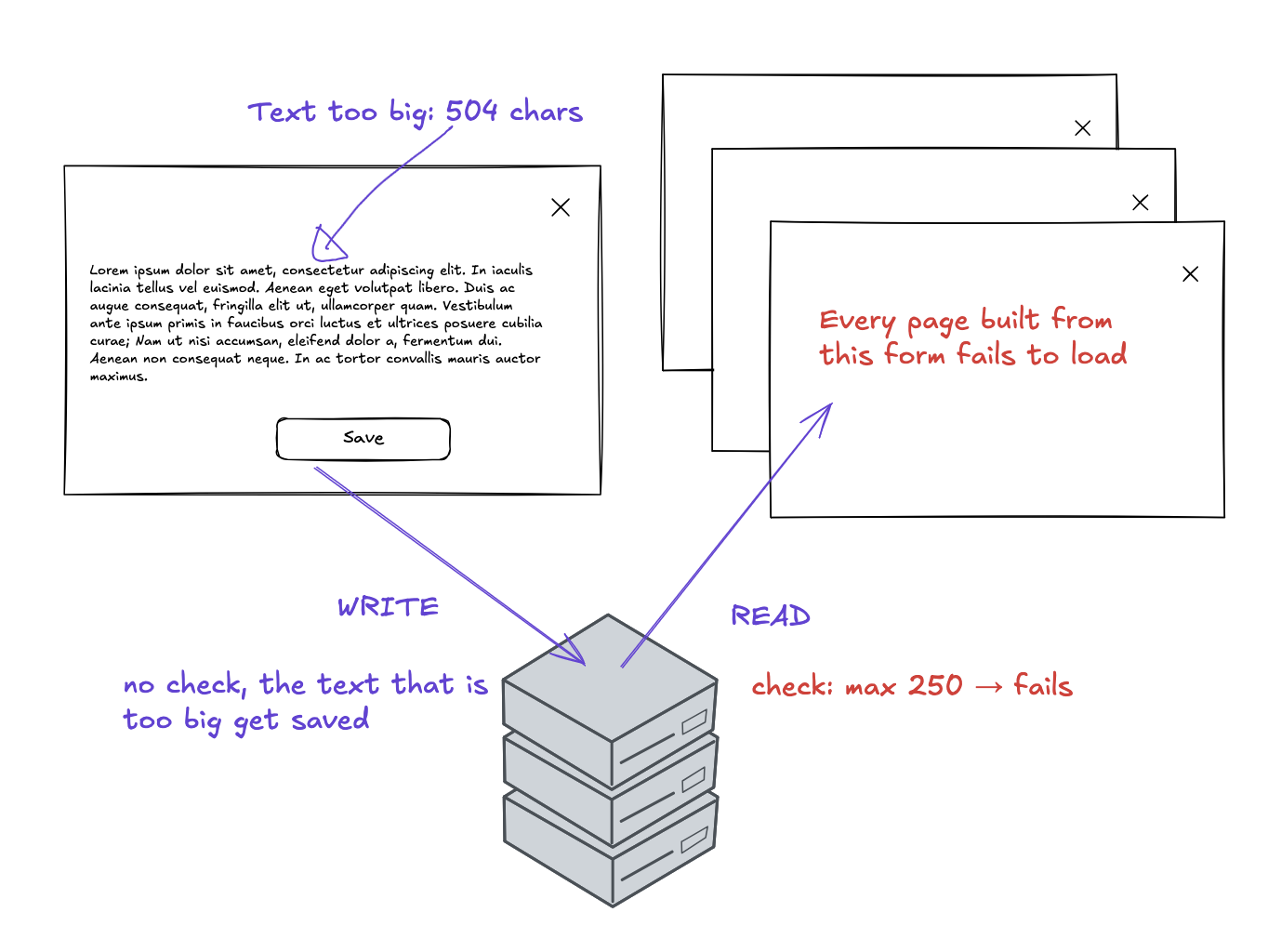
Our form builder is a tool where customers build their own forms, with fields and dropdown options. It accepted text of any length. But every page built from a form checks each label against 250 characters when it loads. So one 504-character label broke all of them:
The value 'FormFieldLabel' is longer than max of 250.
Guard the write
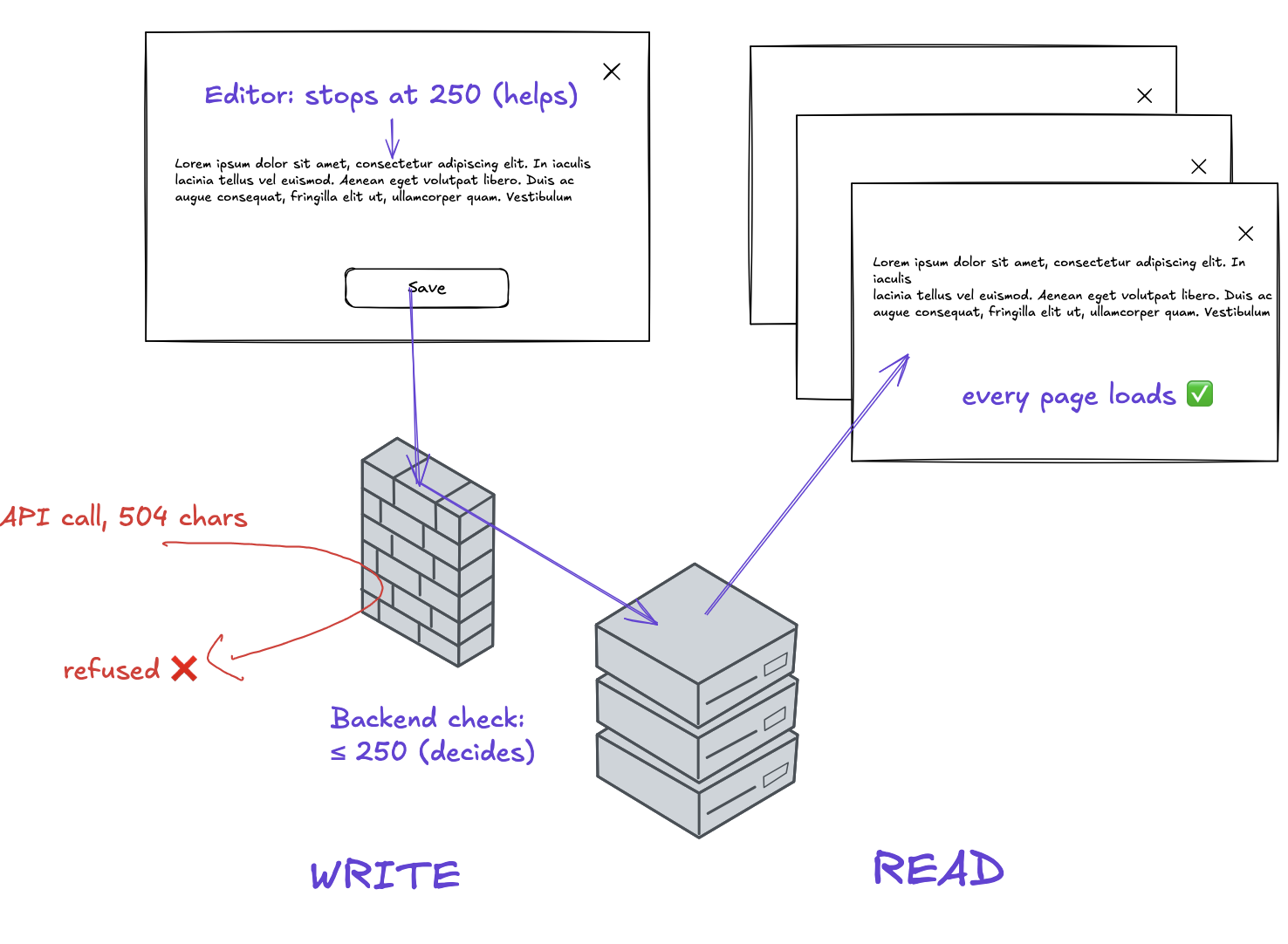
The read side (loading a page) already had the rule; the write side (saving the form) didn’t. So we put the same 250 limit on the write side, where the data comes in. The limit lives in two places, on purpose. The backend decides; the editor only helps.
Backend (the real rule): Eric Evans, in Domain-Driven Design, calls this a value object. It checks its own rules when it’s created, so an invalid value never enters the system.
AtomicValue( name('Label'), typeStr( max => 250 ) );

Label->create($longText);   # 504 characters: save refused
Label->create('Audit A');   # ok: saved
Editor (a convenience):
<input v-model="label" maxlength="250">A test checks that the input stops at 250.
So the limit is written twice:
- Backend check missing: bad data gets in. That was the bug.
- Editor check missing or wrong: the user only gets “refused” on save. Nothing breaks.
- The risk: someone changes one 250 and forgets the other. Annoying, but safe.
Migrate the old data
With the backend check, no new text that is too long can be saved. But the old data is still there. We chose to cut the too-long labels down to 250 characters, so we need a migration.
The migration is one line of SQL:
UPDATE options SET label = LEFT(label, 250) WHERE length(label) > 250;Shipping it end to end
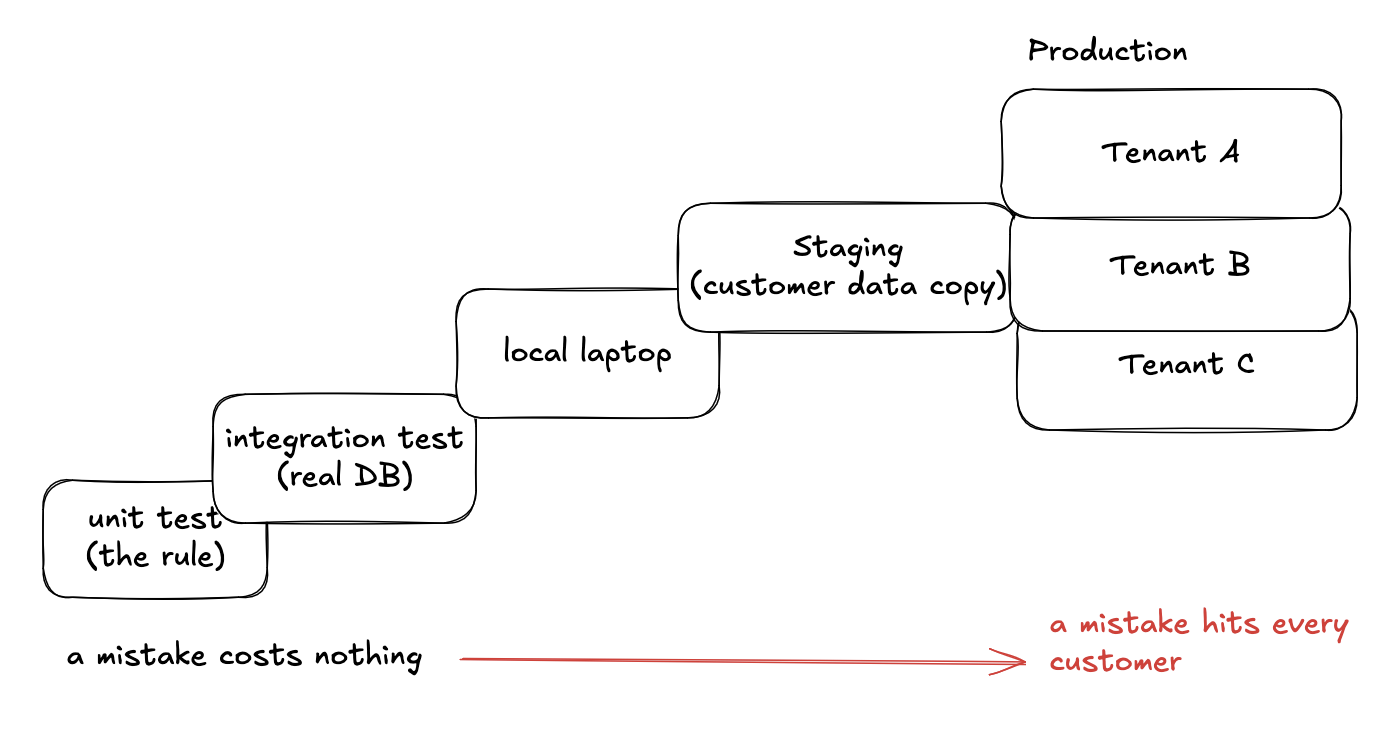
The cut can’t be undone, so we try it first where a mistake costs nothing.
First, tests, from small to big:
- Unit tests: the rule alone. A 504-character label is cut to 250, a 250-character one stays as it is, and an old form with no labels at all stays unchanged.
- Integration tests: against a real database. The draft, the published version and its history are all cut, and running the migration a second time changes nothing.
Then the migration passes three places:
- Local: our laptops, with test data.
- Staging: a copy of production, with the customers’ data.
- Production: the real customers. Each customer (a tenant) has its own data.
It ships in two pull requests. The first one only makes the migration runnable by hand. We ran it locally, then on staging, and checked that the pages load again.
The second one makes it run automatically for every tenant when production is updated. Nobody runs it by hand on production.
Next time you add a limit
- Guard the write: the backend refuses new data that breaks the limit; the editor helps the user stay under it.
- Migrate the old data: cut what is already stored, tested from small to big before it reaches production.
Before adding a limit, look at the data you already have: how much of it is already too long?