Solving a bug with an AI agent as a junior developer, and still learning
Table of Contents
This post answers:
- How do I still learn when an AI agent writes the fix?
The fear
I’m a junior developer. I started learning the job in an apprenticeship, through pair programming. I was amazed how much you learn when two people build a shared understanding of the codebase while they code.
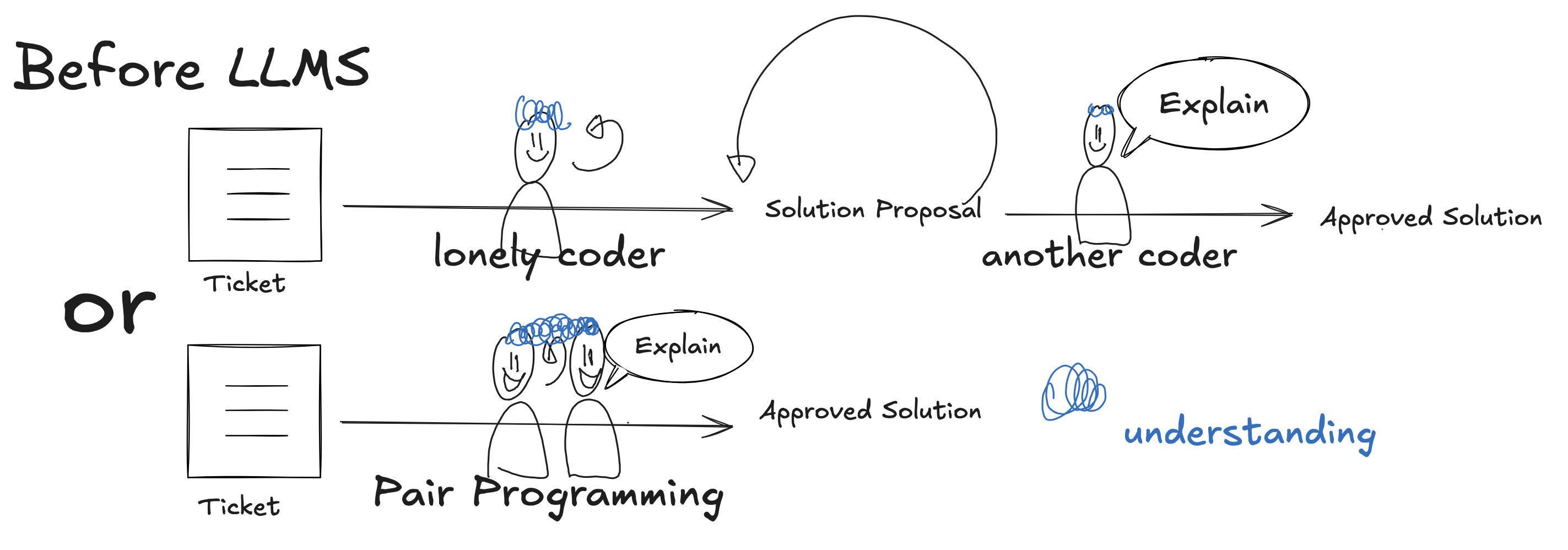
Using LLMs felt good at first: what seemed like a better result, and so fast. But it was a black box. I was offloading the thinking. Do I really understand, or do I just feel like I understand? Am I becoming dumb?
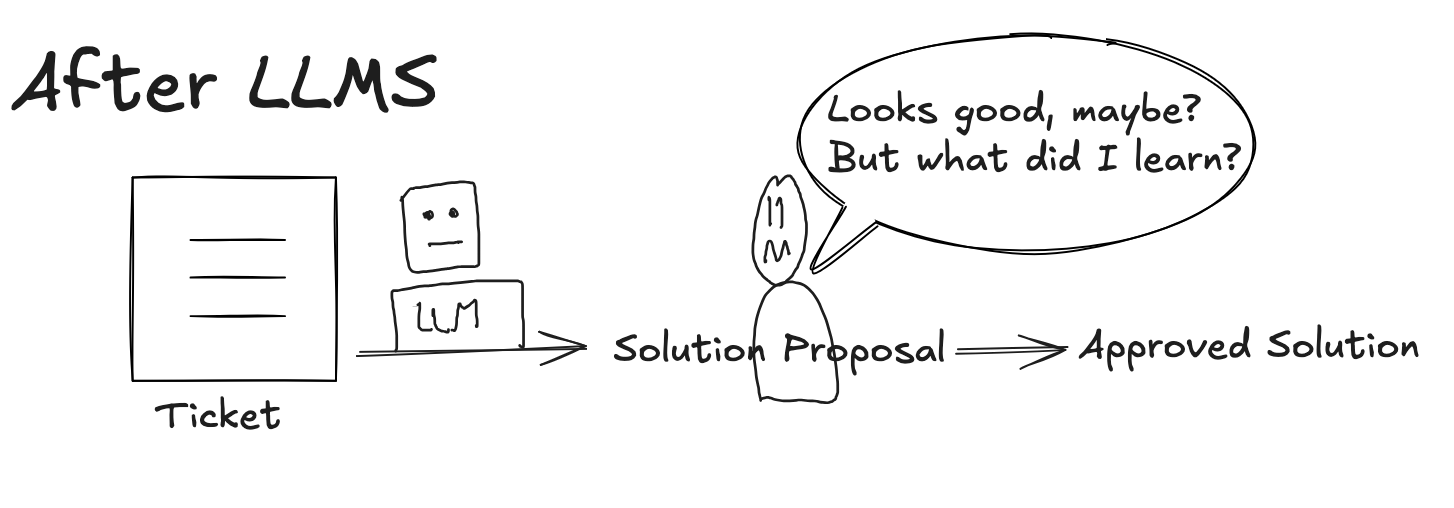
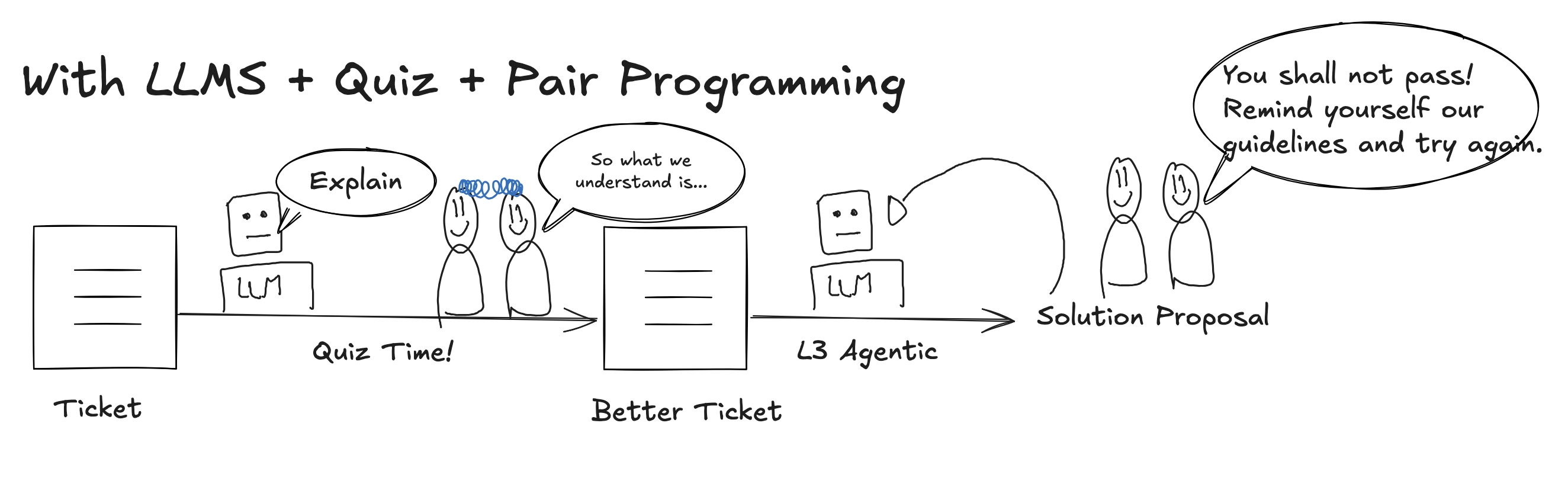
In this post, I show how quizzes and recaps help me keep learning while an agent writes the code. It is still a work in progress: so far, n = 2. But active recall and active questioning are proven learning methods, and software engineering is about discovery and learning. So I’m giving it a try, and so far I feel it helps me a lot.
The bug: a red link that works after a reload
I work on Q.wiki, a wiki where companies write down how they work. A page can have attachments, for example an Excel file. A user can convert an attachment into a file page: a page of its own for that file, so other pages can link to it.
After the conversion, a link to the new file page appears. But the link is red, which means “this page doesn’t exist”. After a reload (F5), the link works.
Step 1: find the cause myself, before reading code
I watched the network requests while I converted an attachment.
Me: All requests return 200 (success). But the link is red. Where do I look next?
Agent: Ask instead: why does the browser think this page doesn’t exist?
One request asks the server “does this page exist?”. The answer: notExist. A few seconds later, I sent the same request again. The answer: active.
So saving works. It’s a timing issue.
Me: But why does the link stay red?
Agent: The browser keeps every answer in a cache, a small notebook. Once it says “doesn’t exist”, the browser never asks again.
Step 2: explain it back and get quizzed
Agent: In your own words: what is the bug, how did you prove it, and what is the shape of the fix?
Me: The frontend asks too early, and only once. I proved it with two requests: the first one said the page doesn’t exist, the same one a bit later said it exists. The fix: the attachment updates the link once it gets the id.
The feedback:
- ✅ The bug: right.
- ✅ The proof: right. Same request, two answers, only time in between.
- ❌ The fix: the browser has to ask again, repeatedly, with a limit.
Step 3: the agent writes the fix, I question it
Me: I think I understand the problem now, but I don’t understand your solution.
The fix asks again every second, at most 10 times. A spinner shows in the meantime. This is the agent’s first version:
const FILE_PAGE_CHECK_INTERVAL = 1000; // milliseconds between two checks
const FILE_PAGE_MAX_CHECKS = 10;

// after the conversion: checksLeft starts at FILE_PAGE_MAX_CHECKS
awaitFilePage(response.filePageId, FILE_PAGE_MAX_CHECKS);

function awaitFilePage(filePageId: string, checksLeft: number) {
    filePageCheckTimer = setTimeout(async () => {
        const filePage = await contentInfos.refresh(filePageId);
        if (filePage?.state === 'active' || checksLeft <= 1) {
            isCreatingFilepage.value = false;
            return;
        }
        awaitFilePage(filePageId, checksLeft - 1);
    }, FILE_PAGE_CHECK_INTERVAL);
}
Why a limit? If the server job fails, the page never appears. Without a limit, the browser would keep asking for as long as the tab is open. (Release It!, Michael Nygard)
Then I questioned the agent’s code:
Me: I don’t like the name
awaitFilePage.awaitis a JavaScript keyword: it promises that the function returns a Promise, and this one returns nothing. What the function waits for is the page to exist. Let’s call itwaitUntilFilePageExists.
The renamed version is the one that got merged:
const FILE_PAGE_CHECK_INTERVAL = 1000; // milliseconds between two checks
const FILE_PAGE_MAX_CHECKS = 10;

waitUntilFilePageExists(response.filePageId, FILE_PAGE_MAX_CHECKS);

function waitUntilFilePageExists(filePageId: string, checksLeft: number) {
    filePageCheckTimer = setTimeout(async () => {
        const filePage = await contentInfos.refresh(filePageId);
        if (isUnmounted) return;

        if (filePage?.state === 'active' || checksLeft <= 1) {
            isCreatingFilepage.value = false;
            return;
        }
        waitUntilFilePageExists(filePageId, checksLeft - 1);
    }, FILE_PAGE_CHECK_INTERVAL);
}
The review: “I don’t like polling”
I asked a senior developer to review the pull request (PR). Their comment:
Senior developer: I don’t like polling. I would rather listen to an event from the server.
Learning: consider the different options. There are three ways a browser hears from a server:
Request/response: ask once, get one answer.
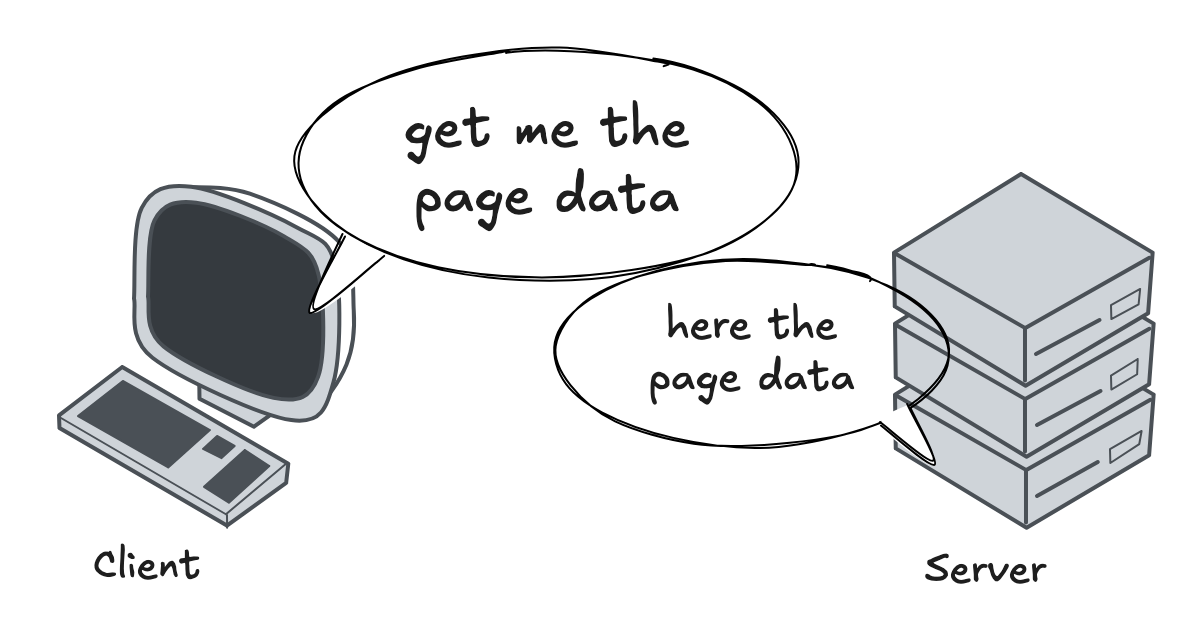
Polling: the same question on a timer, until the answer changes.
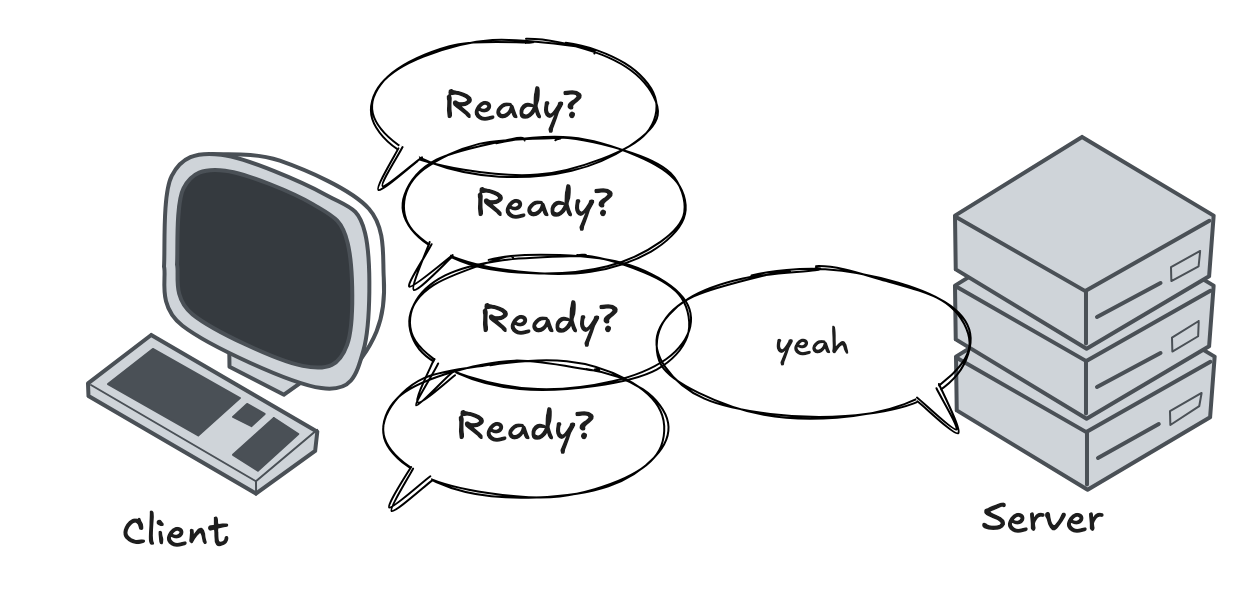
Push (WebSocket / SSE): subscribe once, the server speaks when there is news.
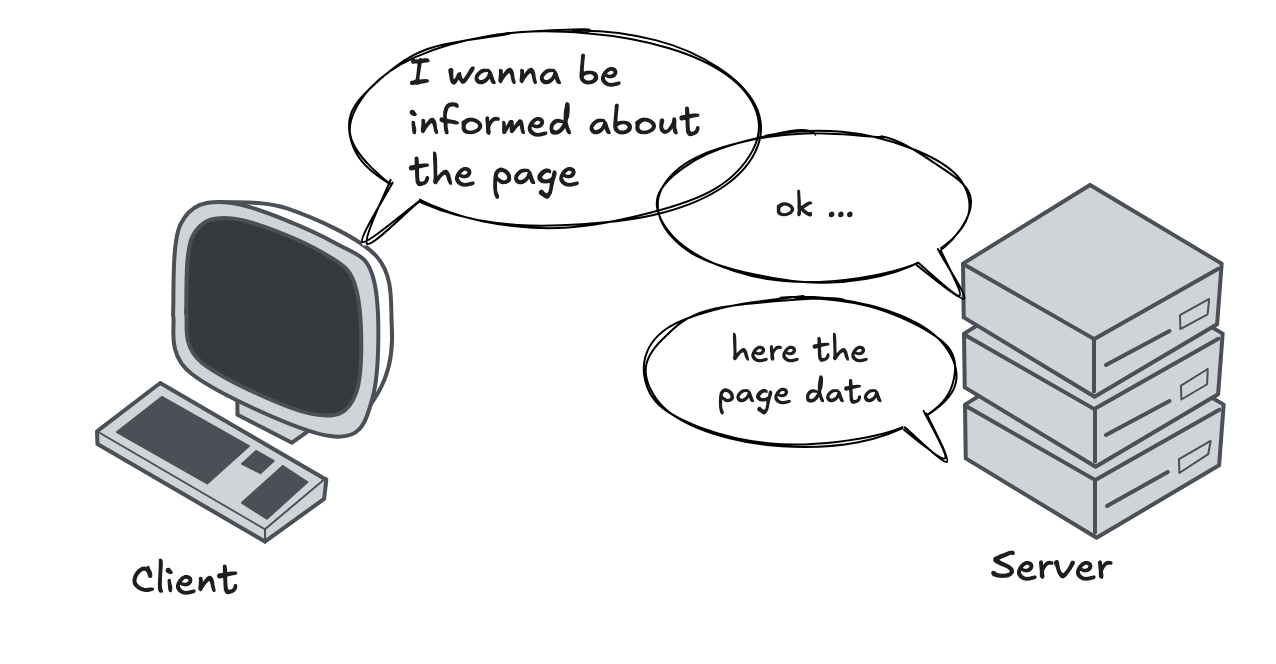
We kept the polling solution as a first approach. Our backend did not have a “file page converted” event yet, and adding it would have been too much overhead for this bug.
What I keep
-
The process:
- Reproduce the bug myself.
- Recap what I understood and get quizzed by the agent.
- Let the agent write the PR, then review it and ask a senior for review.
- Three ways a browser talks to a server: request/response, polling, push.
I’d like to know what you think. Have you tried something like this? The quizzes in this post come from my learn skill for Claude Code, now open source (MIT).